Game Introduction
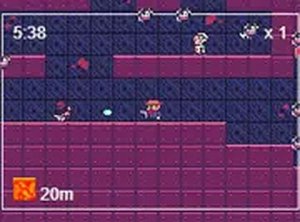
Neon Runner Arcade Dash is a fast-paced endless runner set in a vibrant neon world. Players control a neon character, dashing through an endless environment filled with colorful objects. The core objective is to collect beneficial items while avoiding hazards, with the challenge increasing as the game speeds up. Its simple premise and eye-catching visuals make it an engaging experience for players of all ages, playable directly in a browser without any downloads.
How to Play
In this endless runner, players typically guide their character through a scrolling environment. The goal is to run through blue objects to collect points and jump on green objects to gain height and progress further. Red objects must be avoided, as they will end the run. On desktop, players use arrow keys for control; on mobile devices, tapping and swiping the screen provides intuitive movement. The game gradually increases in speed, requiring quick reflexes and precise timing to survive and achieve a high score.
Game Features
The game features neon graphics that create a vibrant and engaging visual experience. It offers simple controls that are easy to learn, making it accessible to players of all ages. As an endless runner, it provides continuous challenge and high replayability. The game is mobile-friendly and works seamlessly on smartphones and tablets. No downloads are required—play directly in your browser on any device.
Tips for Success
To succeed in this game, practice regularly to improve your reflexes and timing. Focus on learning the pattern of objects and how they appear as speed increases. Stay calm and avoid panicking when the game speeds up—maintain steady control. On mobile, ensure your taps and swipes are precise. On desktop, use quick, deliberate arrow key presses.
Compatibility
• OS: Windows 10+, macOS 11+, iOS 14+, Android 10+
• Browsers: Chrome 100+, Safari 15+, Edge 100+, Firefox 100+
• Not compatible with Internet Explorer
Tested on real devices ✅ works as expected












Player Comments
Sign in to comment
You must be logged in before posting a review or rating.
No account? Create one
No comments yet. Be the first to comment!