Mana Quest Fantasy RPG Adventure
Reviews
Mana Quest offers a solid fantasy RPG experience without downloads or fees. The four character classes provide variety, and the 3D visuals are impressive for a browser game. Controls are intuitive on both mobile and desktop, making it easy to jump in and start questing. The free-to-play model is generous, with no paywalls blocking progress.
About This Game
Game Introduction
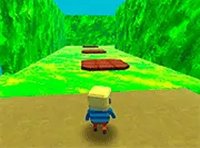
Mana Quest is an online role-playing game set in a fantasy world where demons have invaded and are stealing the precious mana that sustains the land. As a hero, your mission is to stop them and restore balance. The game offers four unique classes: nomad, vanguard, arcanist, and ranger, each with its own special abilities and playstyle. It runs smoothly on both mobile devices and desktop computers, all within your web browser with no downloads needed. Full-screen mode is available for an immersive experience, and the game is completely free to play, making it accessible for players of all ages and skill levels.
How to Play
Playing Mana Quest is simple and fun. First, choose your character class from nomad, vanguard, arcanist, or ranger—each has different strengths. Then, use the on-screen controls to move your character around the 3D world. Tap or click to attack enemies and use special skills to defeat demons. As you progress, you will collect items and experience points to level up your character. The game is designed for touchscreens, making it easy to play on mobile phones and tablets. Explore the world, complete quests, and team up with other players to save the realm from the mana-stealing invasion.
Game Features
Key features include 3D graphics that bring the fantasy world to life, four character classes with unique abilities, and free-to-play gameplay with no hidden costs. The game is browser-based, so no download or installation is required, and it supports both mobile and desktop devices for flexible play. Full-screen mode provides an immersive experience, and the intuitive controls make it easy for anyone to jump right in.
Tips for Success
To succeed in Mana Quest, start by choosing a class that matches your preferred playstyle—whether you like melee combat, ranged attacks, or magic. Explore every area thoroughly to find hidden items and complete side quests for extra experience. Regularly upgrade your equipment and skills as you level up. Team up with other players to tackle tougher demons and share resources. Practice using your special abilities in combat to master their timing and effects. Finally, stay aware of your surroundings to avoid ambushes and make the most of the 3D environment.






Comments
0 comments